Key Takeaways
- AI Agents Go Beyond Chatbots: They can gather context, make bounded decisions, use tools, and move business workflows forward.
- Start With the Workflow: The best use cases come from repetitive, multi-step processes that require coordination across systems and decisions.
- Autonomy Needs Guardrails: Permissions, approval rules, escalation paths, and human oversight are essential for safe agentic AI.
- Not Every Process Needs an Agent: Simple, predictable tasks are often better handled with traditional automation.
- Measure Real Business Impact: Success should be judged by faster completion, fewer errors, lower manual effort, and better operational outcomes.
A customer issue may look simple on the surface. But resolving it often means checking several systems, reviewing previous interactions, finding the right policy, updating records, and deciding what should happen next.
The challenge is not always the task itself. It is the effort required to connect information, decisions, and actions across the workflow.
That is where AI agents can become useful.
Unlike a chatbot that mainly answers questions, an AI agent can work toward a specified goal. It can gather context, details, use approved tools, make bounded decisions, take action, check the result, and continue working on the task until it is complete or the human input is required.
This is the practical value of agentic AI for business.
The real opportunity is not to add AI agents everywhere, in fact, it is to identify the workflows where people spend too much time searching, coordinating, deciding, as well as, following up, then determine whether an agent can take on part of that work safely and reliably.
This guide explains what an AI agent is, how it works, and what it should actually do inside a business.
The Cost of the Current Way of Working
Most businesses already use several systems to run everyday operations. Sales teams work across verticals like CRM platforms, email, spreadsheets, as well as, the proposal tools. Support teams sway between ticketing systems, order platforms, knowledge bases, and the customer records. Finance teams may usually rely on ERP systems, accounting software, inboxes, documents, or even the approval workflows. The problem often sits between these systems. Employees spend time searching for context, copying information from one platform to another, checking policies, waiting for approvals, and deciding which action should happen next. That creates delays in decisions, missed follow ups, duplicated work, as well as more opportunities for human error.
Traditional automation solves part of this problem when the process is predictable.
For example:
If an invoice becomes 30 days overdue, send a reminder email. That works because the trigger and the action are fixed.
But many workflows are not that simple, the next step may depend on the customer’s history, account value, document content, risk level, previous communication, or several other conditions. This is where agentic systems become more relevant. Instead of following only one predefined rule, an AI agent can interpret the situation, choose from a set of permitted actions, and then continue working towards the stipulated defined outcome.
Quick Stat:
Microsoft’s 2026 Work Trend Index found that 66% of AI users say AI is allowing them to spend more time on higher-value work, reinforcing the opportunity to move repetitive execution away from employees.
What Is an AI Agent?
An AI agent is a software system designed to achieve a specific goal by understanding the situation, gathering relevant information, deciding what should happen next, and taking action through approved tools or systems.
A simple way to think about it is:
Goal → Understand Context → Decide → Act → Check Result → Continue or Escalate
For example, imagine the goal is to resolve a customer’s delayed order issue.
The agent could check the order status, review shipping information and previous conversations, look up the relevant refund or replacement policy, determine the permitted next step, update the customer, and either complete the case or send it to a human for review. What makes this different from a basic AI response is that the agent is not only generating an answer. It is moving the workflow forward.
To do that reliably in a business environment, an AI agent typically needs more than an AI model. It may also require:
- Access to relevant business data
- APIs or system integrations
- Defined business rules
- Role-based permissions
- Workflow and decision logic
- Security and monitoring controls
- Clear escalation paths
So, an AI agent is not simply an LLM with a new label, it’s an AI-powered system connected to the data, tools, rules, as well as, controls needed to complete the stipulated task.
Quick Stat:
According to McKinsey, 23% of organizations are already scaling an agentic AI system somewhere in the enterprise, while another 39% have begun experimenting with AI agents.
What Makes an AI Agent “Agentic”?
An AI system becomes more agentic when it can move beyond generating an answer and actually work toward an objective.
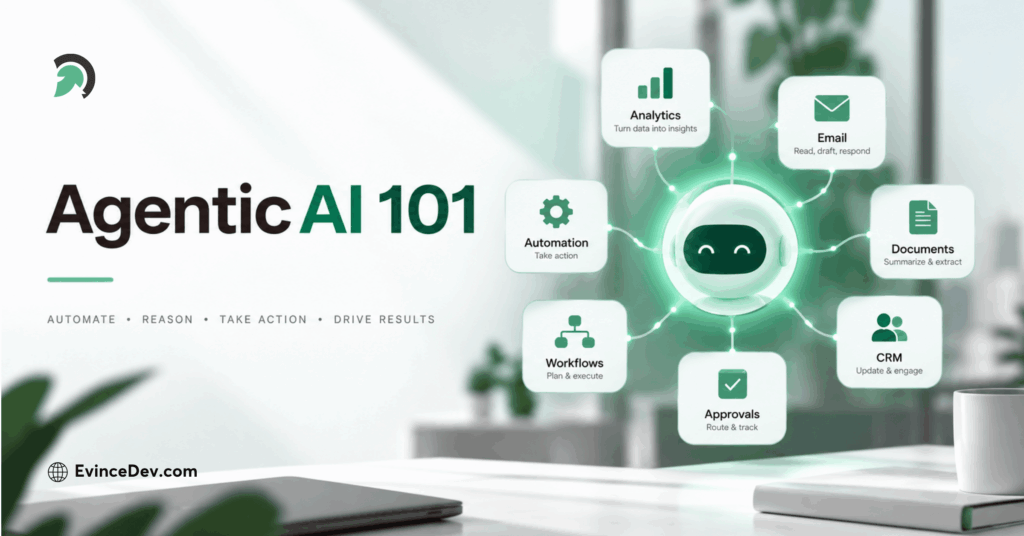
What Is an AI Agent? A Guide to Agentic AI for Business
Several capabilities usually make that possible:
- Goal understanding: The agent knows what outcome it is expected to achieve.
- Context retrieval: It gathers relevant information from approved business systems and data sources.
- Reasoning: It evaluates the context and selects an appropriate next step.
- Tool use: It interacts with systems such as CRMs, APIs, databases, ticketing platforms, or internal applications.
- Workflow state: It keeps track of what has already happened and what still needs to happen.
- Feedback: It checks whether an action succeeded before continuing.
- Escalation: It knows when the task requires human review, approval, or judgment.
Quick Stat:
Microsoft found that 58% of AI users are now producing work they could not have produced a year ago, rising to 80% among advanced users who regularly work with agents and multi-step AI workflows
These capabilities do not need to exist at the same level in every implementation. For instance, a document processing agent may focus heavily on extraction, validation, and also routing. A support agent may need more context retrieval, policy checking, as well as, escalation logic. A finance agent may require stricter permission boundaries as well as approval controls. The important point is that the agent is not only responding. It is progressing through a workflow.
AI Agent vs Chatbot vs Copilot vs Traditional Automation
These technologies can overlap, but they are not the same.
| Capability | Chatbot | Copilot | Traditional Automation | AI Agent |
| Answers questions | Yes | Yes | Usually no | Yes |
| Supports employees | Sometimes | Yes | Limited | Yes |
| Takes actions | Limited | Often with user involvement | Yes | Yes |
| Handles multi-step workflows | Limited | Sometimes | Yes, if predefined | Yes |
| Selects the next action | Limited | Sometimes | Rule-based | Yes, within boundaries |
| Adapts to changing context | Limited | Moderate | Low | Higher |
| Works toward a defined outcome | Limited | Assists the user | Follows rules | Core purpose |
An ai chatbot may tell an employee that an order is delayed. A copilot may help the employee decide how to respond. Traditional automation may send a message when a fixed delay threshold is reached. An AI agent can go further by checking the order, reviewing the customer’s history, choosing the next permitted action, updating the ticket, communicating with the customer, and escalating the case when necessary. The key difference is not conversation, in fact, it is the ability to coordinate information, decisions, and actions across a workflow.
What Should an AI Agent Actually Do in Your Business?
Businesses should not start by asking, “Where can we add an AI agent?”
A better question is:
Which workflows require too much manual coordination, repeated decision-making, and movement between systems?
Those are usually the strongest opportunities for agentic AI, the goal is not to introduce an agent everywhere, instead to give it a clearly defined job where it can reduce repetitive work/tasks, speed up decision making, and also keep processes moving smoothly without any interruption.
Quick Stat:
Salesforce’s Agentic Enterprise Index found that agent deployments among participating early adopters increased 119% in the first half of 2025, with customer service, internal automation, and sales emerging as leading use cases.
Customer Support Agent
A customer support agent can help resolve routine issues by connecting customer conversations with the systems and policies needed to take action.
It can:
- Retrieve customer, order, and account information
- Check shipping, payment, or service status
- Review relevant support policies
- Update tickets and customer records
- Take approved routine actions
- Escalate unusual or high-risk cases
Business value: Faster resolution, more consistent support, and less manual work for service teams.
Sales Operations Agent
A sales operations agent can reduce the administrative work involved in qualifying, routing, and following up with leads.
It can:
- Review incoming leads
- Enrich company and contact information
- Check CRM history and previous interactions
- Apply qualification criteria
- Prepare follow-up messages
- Update CRM records and route leads
Business value: Less time spent on manual sales administration and more time available for active selling.
Document Processing Agent
A document processing agent can manage workflows, where documents need to be read, checked, validated, and also routed before the next business step can even happen.
It can:
- Extract information from documents
- Validate required fields
- Compare data against business rules
- Identify missing or inconsistent information
- Update downstream systems
- Route exceptions for human review
Business value: Faster document handling, fewer manual data-entry steps, and more consistent processing.
Finance Operations Agent
A finance operations agent can support repetitive finance workflows that require checking records, comparing information, and determining the next action.
It can:
- Review invoices and payment status
- Match records across systems
- Identify discrepancies or anomalies
- Prepare payment reminders
- Support reconciliation activities
- Route higher-risk actions for approval
Business value: Lower administrative effort, quicker exception handling, and better consistency across routine finance operations.
IT Service Agent
An IT service agent can help manage common internal support requests and the repetitive troubleshooting workflows.
It can:
- Understand employee support requests
- Retrieve device, user, or account information
- Search internal technical documentation
- Run approved diagnostic steps
- Update service tickets
- Trigger permitted remediation or escalate complex incidents
Business value: Faster handling of routine IT requests and more time for technical teams to focus on complex issues.
Knowledge and Research Agent
A knowledge and research agent can help employees find, compare, and use information that is spread across multiple approved sources.
It can:
- Search internal knowledge repositories
- Retrieve relevant documents and records
- Compare information across sources
- Summarize key findings
- Provide references or supporting context
- Recommend the next workflow step
Business value: Less time spent searching for information and faster access to the context needed for decisions.
Commerce Operations Agent
A commerce operations agent can coordinate operational tasks that sit behind the customer buying experience.
It can:
- Investigate order issues
- Monitor fulfillment and shipping events
- Check inventory availability
- Review payment or checkout failures
- Coordinate customer updates
- Escalate exceptions that need human attention
Business value: Faster handling of order and fulfillment issues, fewer manual handoffs, and a more consistent customer experience.
The common pattern across all of these examples is simple: an AI agent should have a specific business responsibility, access only to the tools and data required for that responsibility, and clear rules for when it should act, stop, or involve a person.
AI Agent Workflow Explained Simply
How an AI Agent Works, Step by Step
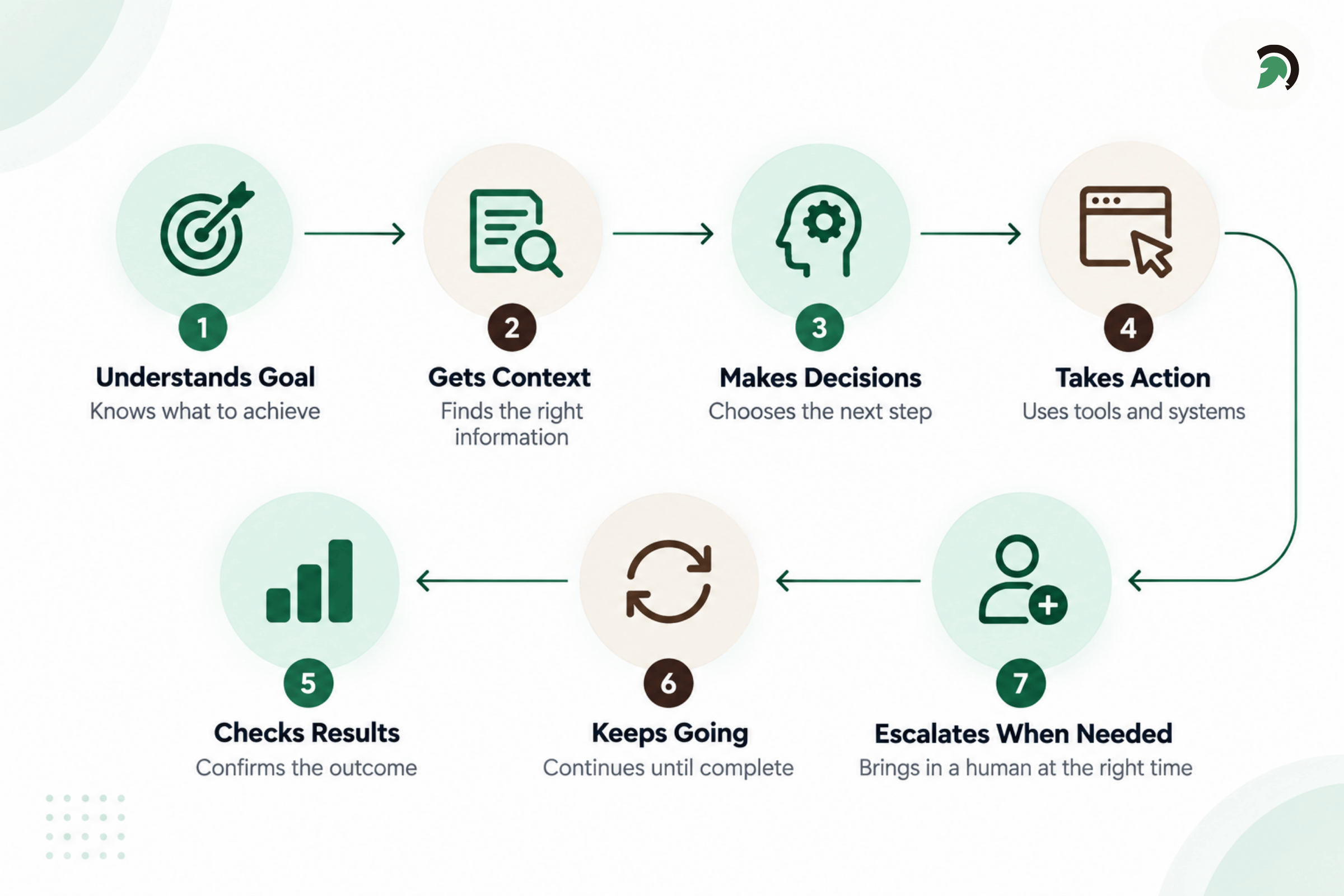
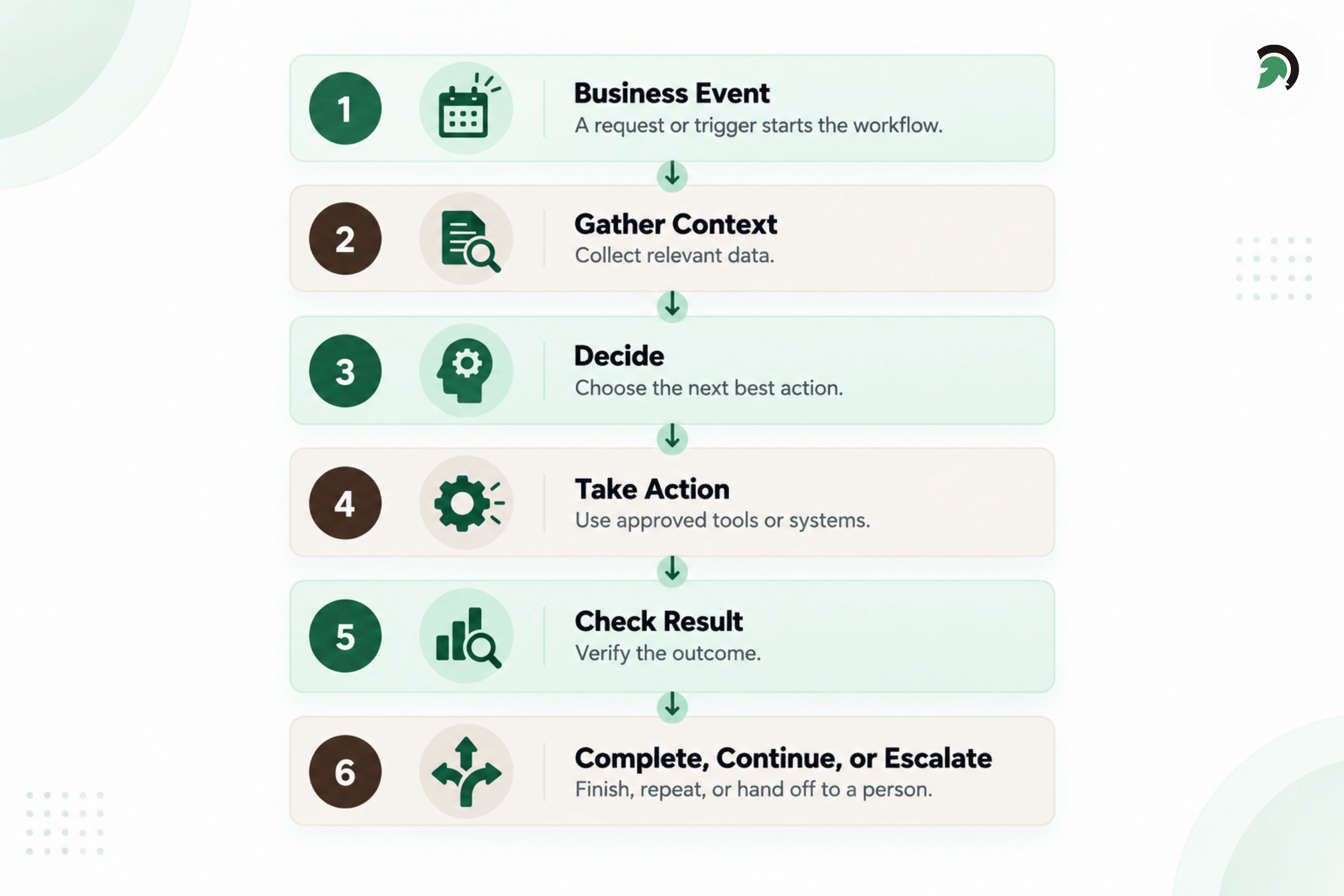
A typical agentic workflow can be simplified into six stages.
Infographic 1
- A goal or business event occurs. This may be a new lead, support request, uploaded document, failed payment, overdue invoice, or system alert.
- The agent gathers context. It retrieves the information required to understand the situation.
- The agent decides the next action. It evaluates the context against instructions, business rules, available options, and permissions.
- The agent uses an approved tool. It may update a record, send a message, call an API, create a task, or trigger another process.
- The agent checks the result. It verifies whether the action worked and whether the objective has been reached.
- The agent completes, continues, or escalates. It either finishes the task, performs another step, requests more information, or involves a human.
How to Tell Whether a Workflow Actually Needs an AI Agent
Not every process should become agentic.
A workflow is often a stronger candidate when it:
- Requires information from several systems
- Involves repeated but context-dependent decisions
- Has multiple possible next steps
- Requires significant manual coordination
- Occurs frequently
- Has a measurable business outcome
- Can operate within clearly defined permissions
- Includes exceptions that can be escalated
By contrast, a simple deterministic process may not need an AI agent.
For example:
If payment succeeds, send a receipt.
A standard automation rule is usually enough.
There is little value in adding an LLM, reasoning layer, orchestration, monitoring, and extra governance when a simple rule solves the problem reliably. The best solution is not always the most advanced one.
What Should an AI Agent Not Do on Its Own?
AI agents should not receive unlimited authority simply because they are technically capable of taking actions.
Certain activities may require stronger human oversight, including:
- Large financial transactions
- Contractual commitments
- Sensitive legal decisions
- Critical healthcare decisions
- Major account changes
- High-impact security actions
- Irreversible operations
This is where human-in-the-loop design becomes important.
For organizations deploying agents across sensitive workflows, AI governance consulting can help establish permissions, oversight, accountability, risk controls, and escalation policies.
The agent may gather information, prepare a recommendation, and complete most of the workflow, while a person still approves the final action.
Permission boundaries are equally important. An agent should only receive access to the systems and data required for its job.
Escalation rules should also be clear. The system needs to know when confidence is too low, information is missing, or the requested action exceeds its authority.
Finally, the workflow should be auditable. Businesses should be able to see what information the agent accessed, what decision it made, which tool it used, and what happened afterward.
Why Adding a Chatbot Does Not Automatically Make Your Business Agentic
Many AI products now include conversational interfaces, but a conversational interface alone does not create an agentic workflow.
A chatbot may answer questions using company information while still being unable to complete the business process behind the question.
A functional AI agent may also require:
- Access to operational systems
- APIs and integrations
- Workflow orchestration
- Business rules
- Action permissions
- State management
- Approval mechanisms
- Logging and monitoring
- Security controls
- Escalation paths
Off-the-shelf agent platforms can work well when the workflow fits the platform’s connectors, rules, and controls. More complex workflows may require custom integration or orchestration because the agent needs to work across proprietary systems, specialized processes, or unique approval structures. The goal should not be custom development for its own sake. The goal should be choosing the simplest architecture that can complete the job safely and reliably.
What AI Agent Implementation Actually Looks Like
Businesses should usually introduce AI agents gradually rather than starting with full autonomy.
1. Choose the Workflow
Start with one clearly defined business process and one measurable outcome.
A vague objective such as “automate customer support” is too broad. A better starting point is “reduce the time required to resolve delayed-order support cases.”
2. Map the Current Process
Document the systems, data sources, decision points, human actions, approvals, and exceptions involved in the workflow.
This helps reveal what the agent actually needs to understand and control.
3. Define Permissions and Guardrails
Specify what the agent can read, recommend, update, execute, and escalate.
This is also where approval thresholds and risk boundaries should be defined.
4. Connect the Required Systems
Integrate the CRM, ERP, databases, APIs, document repositories, ticketing tools, or other systems the workflow depends on.
5. Build and Test the Workflow
Testing should include normal cases as well as incomplete information, unusual inputs, tool failures, permission limits, incorrect outputs, and escalation scenarios.
6. Start With Supervised Execution
Initially, the agent may recommend actions or prepare work for human approval. This provides a safer way to observe how it behaves in real situations.
7. Expand Autonomy Gradually
Once the workflow demonstrates acceptable reliability, selected low-risk actions can be automated further.
This approach also means companies do not necessarily need to replace their existing core systems. Agents can often work across the current technology stack using APIs, integrations, and orchestration.
What Your Team Needs to Provide
AI agent implementation is not purely a technology project.
The business team needs to explain how the process actually works.
Typical inputs include:
- Business rules and policies
- Approval thresholds
- Common exceptions
- Historical examples
- Access to relevant systems
- API or integration information
- Security requirements
- Success criteria
Process owners are especially important because much of the real workflow knowledge may never have been formally documented.
If the business cannot define what a good outcome looks like, what the agent is allowed to do, and when a person needs to step in, the implementation becomes much harder to control.
How to Measure Whether an AI Agent Is Actually Working
A successful AI agent should be measured by the business outcome it improves, not by how intelligent its responses sound.
The right metrics depend on the workflow. For a support agent, that may mean higher task completion, faster resolution, fewer unnecessary escalations, and better customer satisfaction. For an operations agent, the focus may be lower error rates, higher throughput, reduced manual effort, and lower cost per task.
Human intervention also matters. If employees still need to review or complete most tasks, the efficiency gain may be limited. At the same time, fewer human touchpoints are only useful if the agent continues to make reliable decisions and escalates when needed.
The goal is not maximum automation. It is measurable improvement in how efficiently and reliably the workflow is completed.
The real question is:
Did the agent make the workflow faster, more reliable, less expensive, easier to scale, or better for the customer or employee?
Bottom Line
Agentic AI for business is not about adding autonomous AI everywhere. It is about identifying workflows where people spend too much time gathering information, moving between systems, making repetitive decisions, coordinating actions, and handling exceptions manually.
Start with the job. Define the outcome, identify the systems involved, establish clear permissions, decide where humans should remain involved, and then determine whether an AI agent is the right solution. The best AI agent is not the one that appears most autonomous. It is the one that completes a useful business job safely, reliably, and measurably.
Getting there requires more than choosing the right AI model. It also depends on how well the agent connects with existing systems, business rules, data, and workflows. This is where EvinceDev supports organizations with AI development, system integration, and workflow automation to build agentic solutions that fit real operational needs and deliver practical business value.